An E-POS thermal printer is a type of point-of-sale (POS) printer that uses thermal printing technology to produce receipts, labels, or tickets without the need for ink or toner. These printers are popular in retail, hospitality, and small business environments due to their speed, low maintenance, and cost efficiency
E-POS THERMAL PRINTER
Key Features of E-POS Thermal Printers:
-
Printing Method: Direct thermal (no ink/toner needed; uses heat-sensitive paper)
-
Print Speed: Fast output, typically 150–300mm/sec
-
Paper Width: Commonly 58mm or 80mm
-
Connectivity Options:
-
USB
-
LAN (Ethernet)
-
Serial (RS232)
-
-
Compatibility: Works with Windows, Android, iOS (varies by model)
-
Applications: Retail receipts, kitchen orders, tickets, QR/barcode printing
KSh 12,500.00 KSh 14,000.00
Based on 0 reviews
Be the first to review “E-POS THERMAL PRINTER” Cancel reply
Related products
-
PRINTERS
Epson EcoTank L8100 Printer
0 out of 5(0)The Epson EcoTank L8100 is a multifunctional A4 inkjet printer offering high-quality photo printing, scanning, and copying. It features a 6-color ink tank system for vibrant, borderless photos, Wi-Fi connectivity for wireless printing, and low-cost operation with refillable ink tanks. With a 2.4-inch LCD screen, direct CD/DVD printing, and a compact design, it’s ideal for home users and small businesses seeking cost-efficient, high-resolution printing.
SKU: n/a -
PRINTERS
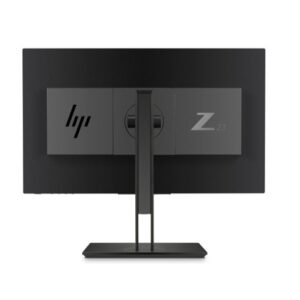
HP Z23n G2 is a 23-inch IPS monitor
0 out of 5(0)The HP Z23n G2 is a high-performance 23-inch IPS monitor designed with professionals in mind, particularly those in fields like graphic design, video editing, and general office tasks. This monitor stands out for its exceptional color accuracy and wide viewing angles, making it an excellent choice for anyone who requires precise color representation.
With a Full HD resolution of 1920 x 1080, the Z23n G2 delivers sharp and clear images, allowing users to see fine details in their work. The IPS (In-Plane Switching) technology ensures that colors remain consistent and vibrant, even when viewed from different angles. This is particularly beneficial in collaborative environments where multiple people might be viewing the screen simultaneously.
One of the key features of the HP Z23n G2 is its ergonomic design. The monitor comes with a highly adjustable stand that allows users to modify the height, tilt, swivel, and pivot of the display. This flexibility not only enhances comfort during long hours of use but also promotes better posture and reduces strain on the neck and eyes.
Connectivity is another strong point of the Z23n G2. It offers a variety of input options, including DisplayPort, HDMI, and USB ports, ensuring compatibility with a wide range of devices. This versatility makes it easy to integrate the monitor into different setups, whether at a workstation, in a conference room, or as part of a multi-monitor arrangement.
In terms of aesthetic appeal, the HP Z23n G2 features a sleek, modern design that fits well in any professional environment. Its thin bezels maximize the screen real estate, providing an immersive viewing experience without being overly bulky. This design not only enhances productivity but also contributes to a clean and organized workspace.
Moreover, the monitor is energy-efficient, often featuring eco-friendly settings that help reduce power consumption without sacrificing performance. This is an important consideration for organizations looking to minimize their environmental impact.
In summary, the HP Z23n G2 23-inch IPS monitor is a versatile and reliable choice for professionals who need high-quality visuals and ergonomic flexibility. Its combination of excellent color accuracy, adjustable design, and robust connectivity options makes it suitable for a wide range of applications. Whether you’re editing photos, creating designs, or simply working on documents, the Z23n G2 can enhance your productivity and overall experience.
SKU: n/a -
PRINTERS, Stationeries
HP SCANJET 2600F1
0 out of 5(0)- Home Use: Ideal for scanning personal documents, photos, and small business-related paperwork.
- Small Offices: Works well for small offices that need a simple, reliable scanner for routine tasks like scanning receipts, contracts, and other paperwork.
- Archiving: Great for archiving documents or photos digitally, freeing up physical space while keeping a digital copy for easy access.
Pros:
- High-resolution scanning for crisp and clear scans of photos and documents.
- Compact design that fits in smaller spaces.
- Simple to use with straightforward controls and software.
- Affordable for home and small office environments.
- Affordable Price Point: As a budget-friendly option, it is suitable for individuals or businesses that don’t require a high-volume, professional-grade scanner.
Cons:
- No Automatic Document Feeder (ADF): You have to manually place each page on the flatbed, which can be time-consuming for larger batches of documents.
- Moderate Speed: It’s not the fastest scanner on the market, so it may not be ideal for heavy scanning tasks.
Overall:
The HP ScanJet 2600F1 is a good option if you need a simple, reliable scanner for occasional scanning tasks. Its high resolution and compact design make it a solid choice for home users and small office environments that need basic scanning capabilities without the need for high-volume scanning.
SKU: n/a


There are no reviews yet.