
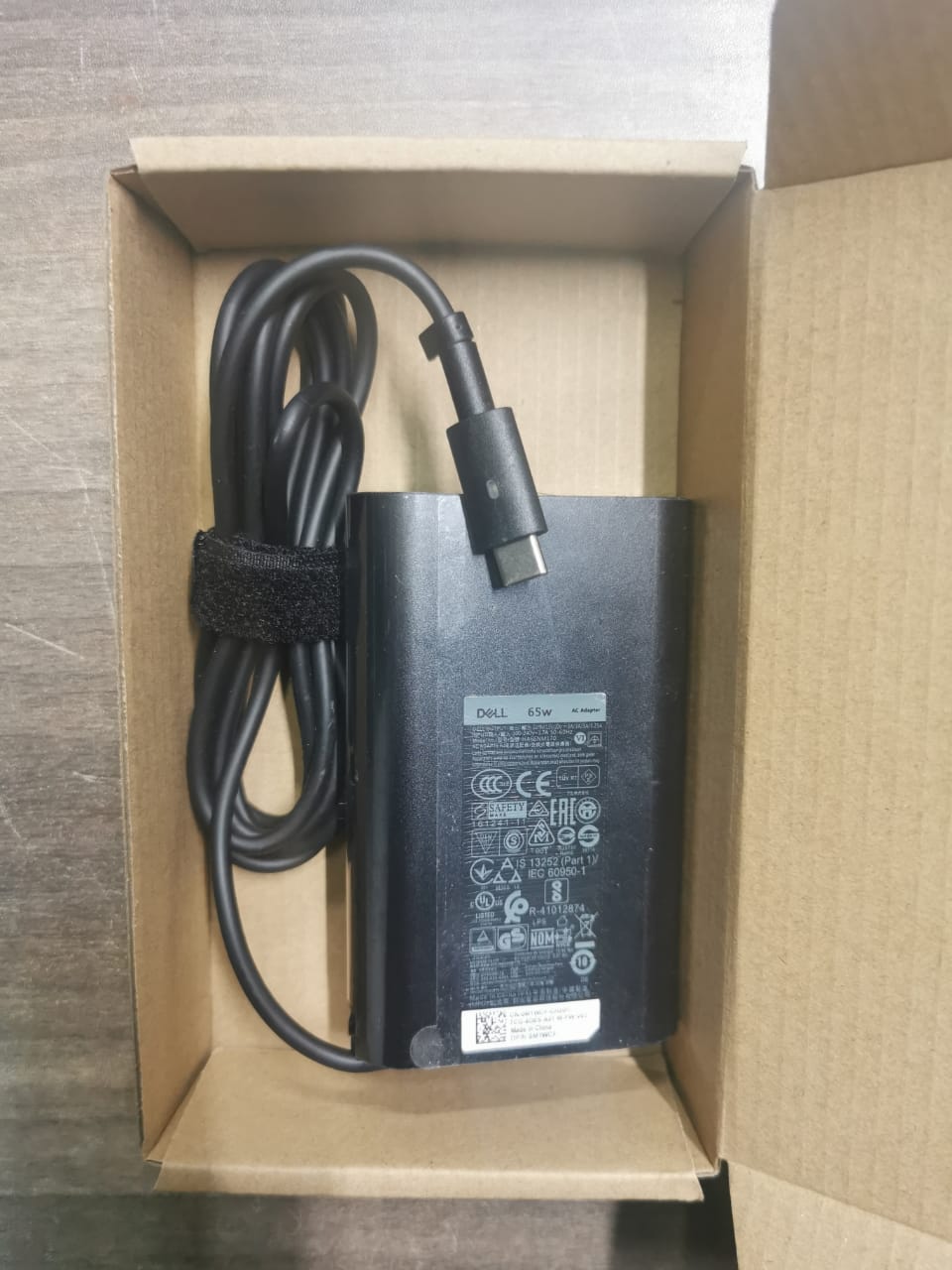
Dell USB-C 45W/65W AC Adapter charger
The Dell Type-C Adapter is a versatile and compact accessory designed to expand connectivity options for devices with a USB Type-C port. It typically features multiple ports such as HDMI, USB-A, Ethernet, and SD card slots, allowing users to connect to displays, external storage, networks, and more. Ideal for laptops and tablets, this adapter enhances productivity by providing a reliable solution for connecting peripherals and transferring data, all while maintaining a sleek and portable design.
KSh 1,800.00 KSh 2,300.00
A Dell Type-C Adapter is a versatile accessory designed to expand the connectivity options of Dell laptops and other devices that support USB Type-C ports. These adapters typically enable users to connect to a range of external peripherals, including monitors, projectors, external hard drives, USB devices, and Ethernet networks, all through a single compact interface.
Here is a detailed description of what a Dell Type-C Adapter generally offers:
1. Build and Design
Dell Type-C adapters are usually designed with durability in mind, often made from high-quality materials like aluminum or reinforced plastic. The design is compact and portable, making it easy to carry along with your laptop. The adapters are typically lightweight, designed to be an unobtrusive addition to a laptop or device.
The Type-C connector itself is reversible, so it can be plugged in either way, ensuring ease of use. Many Dell Type-C adapters come with a braided or reinforced cable to prevent tangling and ensure longevity.
2. Connectivity and Ports
The specific ports on a Dell Type-C adapter can vary depending on the model, but many include the following:
- USB Type-A Ports: These allow the connection of older USB devices (such as flash drives, keyboards, or mice) to your laptop. Type-A is the standard rectangular USB port found on most devices.
- HDMI Port: Enables the connection of your laptop to external monitors, projectors, or TVs. The HDMI port supports video output at various resolutions, including Full HD (1080p) and 4K, depending on the adapter’s specifications.
- Ethernet Port: A dedicated Ethernet port is included on many Dell Type-C adapters, providing wired internet connectivity. This is particularly useful in environments where Wi-Fi is unreliable or unavailable.
- VGA Port: On certain adapters, you may find an additional VGA port, providing compatibility with older projectors or monitors that require VGA input.
- USB-C Port (Pass-Through): Some adapters come with an additional USB-C port for charging the laptop while using the adapter’s other features, ensuring the device’s battery stays charged.
- SD Card Reader: Certain models also feature an SD card slot, allowing users to transfer files from cameras or other media devices that use SD cards.
3. Power Delivery (PD) Support
A key feature of many Dell Type-C adapters is Power Delivery (PD) support, which enables the laptop or device to be charged via the same Type-C connection while using the adapter. This is particularly important for users who want to use multiple peripherals without worrying about battery life. The power delivery can range from 30W to 100W, depending on the adapter model.
4. Compatibility
Dell Type-C adapters are generally compatible with most laptops, tablets, and smartphones that have USB Type-C ports. While the primary focus is on Dell devices, many adapters are also designed to work with other brands of laptops, such as HP, Lenovo, and Apple (MacBooks, iPads), ensuring broad usability.
The adapters often support the USB 3.0 or USB 3.1 Gen 2 standards for faster data transfer rates (up to 10Gbps) when connected to compatible devices.
5. Resolution and Display Features
Many Dell Type-C adapters support high-definition video output. Depending on the model, they can support multiple monitor setups, with resolutions up to 4K at 60Hz. This makes them a good solution for users who need to connect to external displays for work, presentations, or entertainment.
Some adapters also feature Mirror Display and Extended Display modes, which allow users to either duplicate the laptop’s screen on an external display or extend the desktop across multiple monitors.
6. Data Transfer
Depending on the model, a Dell Type-C adapter may support high-speed data transfer. For example, USB 3.0 or USB 3.1 ports on the adapter enable faster transfer of files between the laptop and external drives, reaching speeds of up to 5Gbps or 10Gbps, respectively.
Many adapters also support UASP (USB Attached SCSI Protocol), which improves the performance of USB storage devices by providing faster access to data on external hard drives or SSDs.
7. Audio and Video Output
With HDMI and sometimes VGA ports, the adapter allows not only for video output but also for audio transfer when connected to a display or projector that supports it. This is essential for users giving presentations or watching media content on external screens.
8. Driver Installation and Plug-and-Play
Most Dell Type-C adapters are plug-and-play, meaning no additional software installation is necessary. The device should automatically recognize the adapter once it is plugged in, and the connected peripherals will function seamlessly.
9. Security Features
Some high-end Dell Type-C adapters come with built-in security features, including encryption protocols for data transfers, ensuring that your sensitive information is protected while using external storage devices or networks.
10. Applications and Use Cases
Dell Type-C adapters are widely used in professional environments, especially for individuals who work in hybrid or remote settings and need multiple types of connectivity for external displays, peripherals, and networks. They’re also a good solution for travelers or business professionals who need to set up quickly in different locations, where USB-C connectivity is the norm.
Common use cases include:
- Connecting a laptop to a projector for presentations.
- Expanding the laptop’s connectivity by adding multiple USB devices, Ethernet, and external displays.
- Charging a device while using external accessories, such as a mouse, keyboard, and external storage.
11. Price and Availability
Dell Type-C adapters are available in various models at different price points, depending on their feature set and specifications. More basic adapters with only USB-A ports and HDMI might be more affordable, while more feature-rich models with additional Ethernet, SD card slots, or higher power delivery may cost more.
Conclusion
A Dell Type-C Adapter is a must-have for users seeking to maximize the functionality of their Dell laptop or other USB-C enabled devices. It combines multiple essential features like data transfer, video output, Ethernet connectivity, and power delivery, all in a single, portable device. Whether for professional or personal use, it provides convenience and versatility, making it an essential accessory for modern computing setups.
Based on 0 reviews
Be the first to review “Dell USB-C 45W/65W AC Adapter charger”
Related products
-
COMPUTER ACCESSORIES, Mouse
Wireless rechargeable mouse with Bluetooth
A wireless rechargeable mouse with Bluetooth offers the convenience of a cable-free experience while providing reliable connectivity to your devices. It features a built-in rechargeable battery, eliminating the need for disposable batteries. With Bluetooth technology, it connects seamlessly to laptops, tablets, and other Bluetooth-enabled devices, offering smooth and efficient performance for everyday tasks and work. Its sleek design and energy-efficient features make it a great choice for both casual and professional use.
SKU: n/a -
-
COMPUTER ACCESSORIES, SSD & RAM'S
VASEKY 512GB NVMe SSD
- Enhanced Performance: Ideal for gaming, video editing, and multitasking, allowing for quicker boot times and reduced load times for applications.
- Energy Efficiency: Generally consumes less power than traditional HDDs, which can help improve battery life in laptops.
- Low Latency: Reduced latency improves overall system responsiveness and performance during intensive tasks.
Applications:
- Gaming PCs: Reduces game load times and improves overall gaming experience.
- Workstations: Suitable for creative professionals in fields like video editing and graphic design.
- Upgrading Laptops/Desktops: A great option for upgrading older systems for better performance without replacing the entire computer.
SKU: n/a


There are no reviews yet.